
The Best AI Tools for Job Search in 2026
There are more AI job search tools right now than at any point in history. Most of them are the same product with a different interface: you upload your resume, they generate something, you ignore half of it, and you're not sure whether it helped.
A few are genuinely useful. The trick is knowing which category each tool falls into before you spend time setting it up.
This ranking is based on a simple question: does this tool make a meaningful difference in getting more interviews?
How to think about AI job search tools
There are four places in the job search where AI can actually help:
- Resume optimization — making sure your resume gets past ATS filters
- Application assistance — filling out forms, writing cover letters, answering screening questions
- Interview preparation — practicing answers, getting feedback
- Outreach and networking — drafting cold emails and LinkedIn messages
Most tools do one of these well. A few do two. Very few do all four — and when they try, some of those features tend to be weaker.
Here's what's actually worth using.
For resume optimization: Jobscan or Answerly
Jobscan is the most established ATS keyword tool. You paste your resume and a job description, it compares them and shows you what's missing. The analysis is detailed and the keyword matching logic is solid.
It's a read-only tool — it tells you what to fix but doesn't help you fix it in context. You'll still do the rewriting manually.
Answerly takes a similar approach but combines keyword matching with the ability to tailor your resume and see your score improve in real time. The ATS score checker is free, and the resume tailor lets you see exactly which keywords are under-represented and edit your resume against them simultaneously.
If you're doing high-volume applications and want to optimize each one, Answerly's workflow is faster. If you want deep keyword analysis and are willing to do the rewriting separately, Jobscan is also strong.
For application autofill: Answerly or Simplify
If you've ever manually typed your work history into a Workday form after already uploading your resume, you understand the problem these tools solve.
Simplify handles basic field autofill — name, email, address, phone, LinkedIn, work authorization — free, on a wide range of sites, and the setup is easy. It also has an AI suggestion feature for open-ended questions, though several reviewers report it's inconsistent on less common fields (custom questions sometimes get skipped or filled with leftover text from a different application). Resume tailoring, cover letters, and ATS scoring live behind the paid Simplify+ tier.
Answerly covers fewer sites, with full field-mapping verified on Greenhouse, Lever, Ashby, Workday, BambooHR, Rippling, Paylocity, iCIMS, Oracle Cloud, ZipRecruiter, and Handshake, plus LinkedIn Easy Apply. It also drafts answers for open-ended questions ("Why do you want to work here?", "Describe your biggest professional challenge") based on your resume and the job description, and the AI features are included in an affordable paid tier rather than a separate $40-50/month premium product. If your applications are mostly on the verified platforms, that trade is worth it. If you need the widest possible site coverage, Simplify is the safer bet. Full comparison: Answerly vs Simplify.
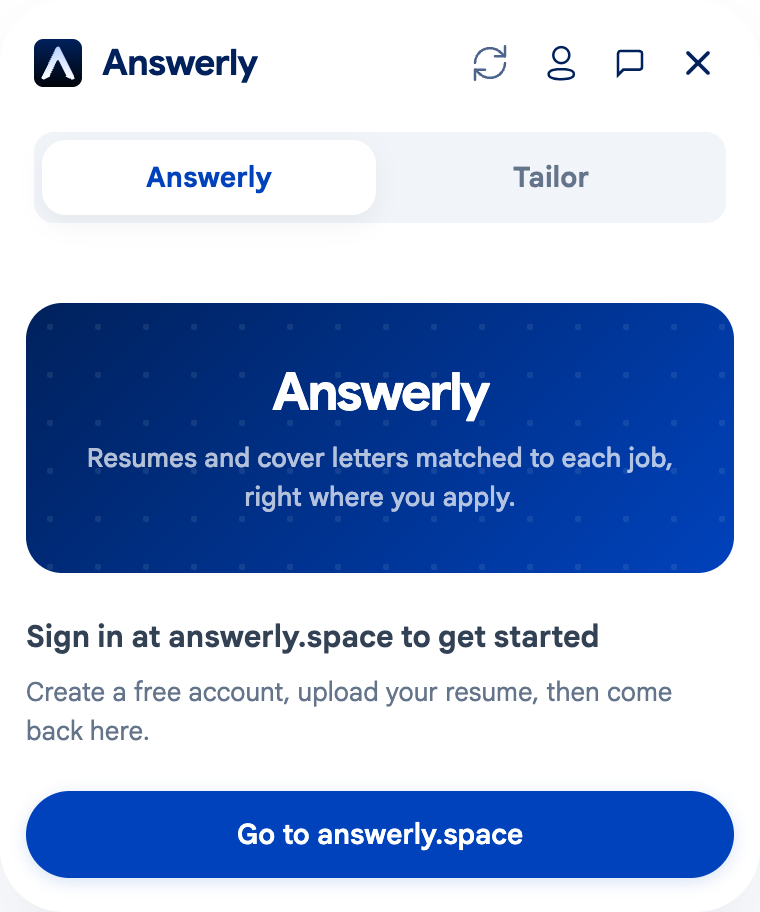
The Chrome extension runs directly on the job page, so you're not switching back and forth between apps. Install it here, or read how the field-mapping actually works first. If you're applying in volume, Auto Apply queues multiple jobs at once without submitting any of them for you.
For cover letters: Answerly or directly prompting Claude/GPT
Dedicated cover letter generators exist, but the honest answer is that a good AI model prompted well will produce a better cover letter than most single-purpose tools.
The problem with generic cover letter AI is that they don't know anything about you. They generate something plausible but not specific, and recruiters can tell.
Answerly's cover letter generator is trained on your actual resume content alongside the job description, which produces something much closer to a real letter — specific company references, role-relevant achievements, accurate tone. It's better than most because it knows what you've actually done.
If you want to use Claude or GPT directly: give it your full resume, the full job description, the name of the hiring manager if you have it, and be explicit about tone (formal vs. conversational) and length. Don't let it guess context.
For interview prep: Answerly or Yoodli
Answerly's interview prep generates practice questions from the job description you're targeting and gives you AI-written model answers based on your resume. Useful for preparing STAR-format stories and understanding what a specific company is likely to ask.
Yoodli takes a different approach — it's a speech analysis tool that listens to you practice out loud and gives feedback on pacing, filler words, eye contact (via webcam), and clarity. No AI-generated content; just feedback on delivery.
If you need content (what to say), Answerly. If you need delivery coaching (how to say it), Yoodli. Both are worth using before a final round.
For LinkedIn outreach: Claude, GPT, or Answerly
Cold LinkedIn messages and cold emails are one of the highest-leverage activities in a job search. A good message to the right person matters more than 20 generic applications.
The failure mode with AI-assisted outreach is messages that sound like AI wrote them — overly formal, clearly templated, no specific hook. Recruiters and hiring managers delete these.
Answerly's LinkedIn message generator and cold email tool write outreach grounded in the specific job and company, using your background as the proof point. The output needs editing before sending, but it's faster than starting from scratch.
If you're using Claude or GPT directly, the key is giving them the specific person's role, the company context, what you have in common with them or the company, and exactly what you're asking for. "Write me a LinkedIn message" produces garbage. "Write a 3-sentence LinkedIn message to the VP of Engineering at [company], referencing that they recently shipped [specific product update], asking if they'd have 20 minutes to talk about the ML team's roadmap" produces something usable.
Tools that didn't make the cut
Rezi, Kickresume, Zety — resume builders that produce pretty PDFs. The ATS compatibility varies and the AI suggestions tend to be generic. Fine for formatting; not useful for optimization.
LazyApply, ApplyAll — bulk application tools that auto-submit applications to hundreds of jobs. Getting rejected from 300 jobs isn't better than getting an interview from 30 targeted ones. Recruiters can also tell when applications are templated. Don't use these.
LinkedIn's AI suggestions — LinkedIn now offers AI-assisted profile and message writing natively. It's mediocre. The suggestions are generic and the model doesn't have access to your resume. Useful as a starting point; don't publish anything it generates without heavy editing.
The honest take
AI tools remove friction and save time. They don't replace the judgment calls — which jobs to apply for, what to say in a first interview, how to negotiate an offer.
The job seekers getting the most out of AI tools in 2026 are using them to remove repetitive tasks (form filling, first drafts) so they can spend more time on high-judgment work (targeting, relationships, preparation). The ones getting the least benefit are treating AI output as finished product and skipping the editing step.
One starting point: check whether your resume gets past ATS filters before anything else. It's free and takes 30 seconds. If your resume isn't clearing the first filter, no amount of AI-generated cover letters will help.