
The Best Chrome Extension for Job Applications in 2026
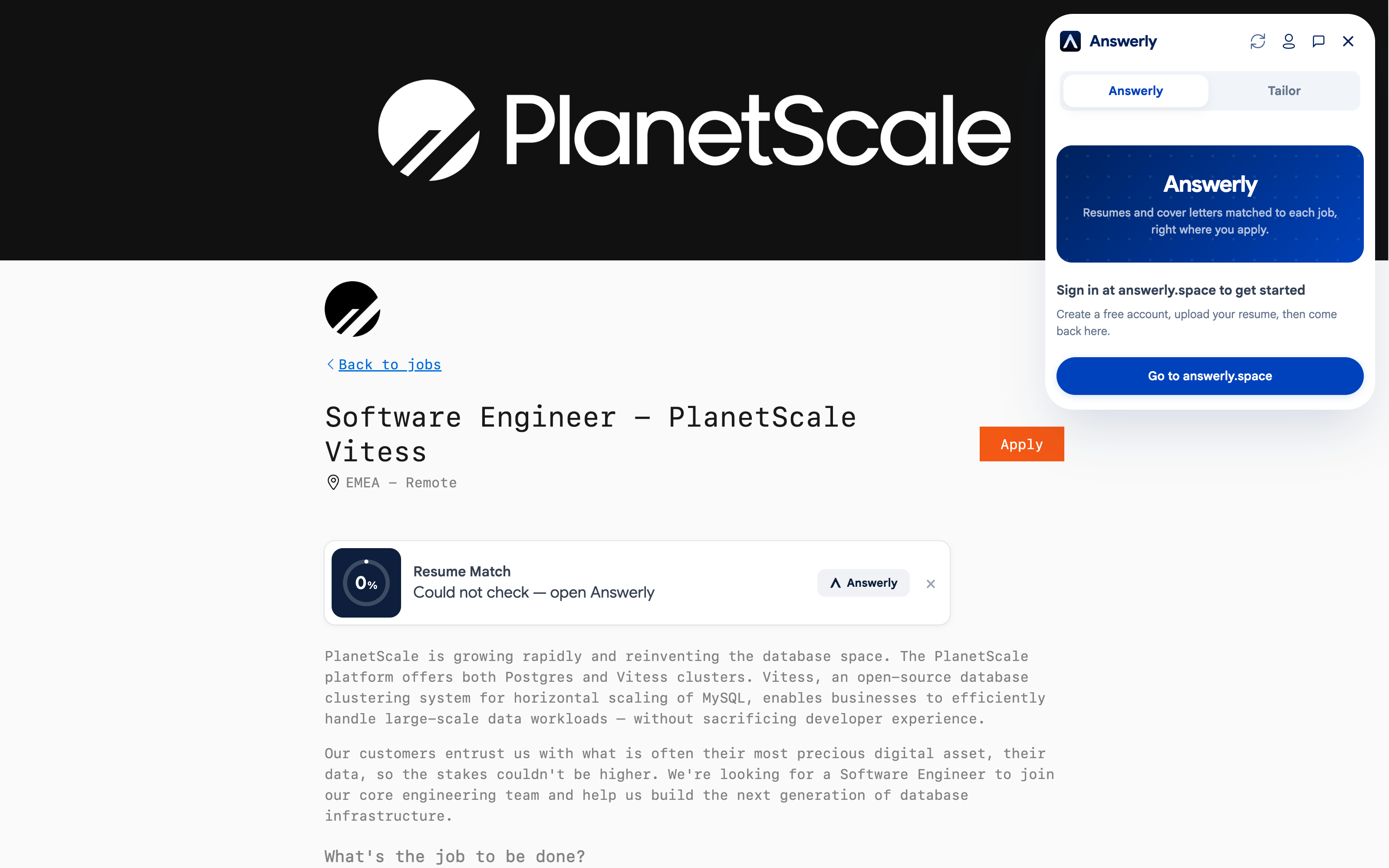
If you're applying to more than five jobs a week, you already know the routine: open the posting, switch to your resume, copy a bullet point, switch back, paste it into a text box, re-read the question, realize you answered the wrong thing, go back and fix it.
Multiply that by 20 applications and you've wasted most of a day on admin.
Chrome extensions for job applications exist to cut that friction. Some are actually useful. Many are not. Here's an honest breakdown of what's available, what each one does well, and what to look for before you install anything.
What a job application extension should actually do
The bar is higher than it looks. A useful extension should:
- Work directly on the job site — not require you to copy and paste into a separate tool
- Understand the context of the question being asked, not just auto-fill name and email
- Help with ATS optimization and keyword matching on the same page
- Not require you to manually update your profile every time your resume changes
Most extensions solve one of these. Few solve all of them.
Answerly
Answerly is designed specifically for job applications — not general-purpose AI with a job search mode bolted on.
What it does: When you land on a job application page on LinkedIn, Greenhouse, Workday, Lever, Ashby, and a verified set of other ATS platforms, Answerly opens a panel alongside the form. It reads your uploaded resume, understands the job description, and helps you:
- Autofill application forms — it maps your resume to work history, education, and skills fields on the verified platforms, cutting most of the manual retyping, unlimited on every plan including free. It covers fewer sites than some autofill-only extensions, so worth checking the supported list if you're applying somewhere unusual.
- Answer open-ended questions — "Why do you want to work here?" and "Describe a time you handled conflict" get AI-generated drafts based on your actual resume content, not generic templates
- Check ATS keyword match — see your match score against the job description before you submit, so you know if the application is worth refining
- Generate a tailored cover letter — one click, customized to the specific company and role, grounded in your resume
Who it's for: Active job seekers applying to multiple roles per week who want AI help on the job page itself, not in a separate app.
Pricing: Free tier available. Pro and Max plans for heavier usage.
Install: Chrome Web Store
Teal
Teal is a well-known job search platform that also has a Chrome extension. Its main strength is the job tracker — it lets you save job listings from any site with one click and organizes them in a Kanban board.
What it does well: Job saving and tracking. If you're disorganized about which jobs you've applied to, Teal's extension solves that cleanly.
Where it falls short: The AI assistance is fairly basic. It doesn't do autofill on application forms and the keyword matching requires you to work in Teal's web app, not on the job page itself.
Who it's for: People who want a CRM-style system for organizing their job search.
Full breakdown here if you're deciding between the two: Answerly vs Teal.
Simplify
Simplify's free tier pre-fills job application forms with your profile information, plus AI suggestions for open-ended questions. The setup is straightforward and it works on a lot of sites.
What it does well: Basic form autofill, free, on a wide range of platforms. Good for name, email, address, phone, LinkedIn URL, and work authorization fields.
Where it falls short: Reviewers report the open-ended question suggestions are inconsistent on less common fields, worth double-checking before you submit. Resume tailoring, cover letters, and ATS keyword matching are behind the paid Simplify+ tier, not included free.
Who it's for: People who find typing repetitive information annoying and want a lightweight fix.
Full breakdown if you're deciding between the two: Answerly vs Simplify.
Jobscan
Jobscan is primarily an ATS optimization tool. Their extension pulls the job description from whatever page you're on and compares it against your resume for keyword match.
What it does well: Keyword analysis is Jobscan's core product and it shows. The matching is thorough and the suggestions are specific.
Where it falls short: It's a read-only tool — it analyzes, but doesn't help you take action on the application itself. You'd use it alongside your application, not instead of the manual work.
Who it's for: People who want detailed keyword analysis and don't mind switching between the tool and the application form.
What to look for before installing any extension
Check the permissions it requests. Job application extensions need access to the pages you're on — that's expected. But be cautious of extensions that request access to all websites, your browser history, or clipboard contents without a clear reason.
Look at how it stores your resume data. Your resume has sensitive personal information. Read the privacy policy and understand where your data goes and who processes it.
Test it on the sites you actually use. An extension that works on LinkedIn but not on the Greenhouse portal where your target companies hire isn't very useful for you specifically. Check the supported sites list before committing.
Check how it handles updates. Job boards change their HTML constantly, which breaks autofill. An actively maintained extension will ship fixes fast; an abandoned one will stop working on new job postings without warning.
The setup that works for most job seekers
For most active job seekers, the most effective setup is:
- An extension that handles autofill and question answering on the job page itself (Answerly)
- A system for tracking which jobs you've applied to — this can be a spreadsheet, Notion doc, or a built-in tracker
You don't need six tools. The goal is fewer context switches per application, not more apps.
If you're applying to 10+ roles a week, the time savings compound fast. An extension that saves you 15 minutes per application saves over 2 hours a week. That time is better spent on networking, interview prep, and follow-ups — the things no extension can do for you.
One thing no extension replaces
A strong base resume. Autofill tools and AI assistants can only work with what you give them. If your resume is poorly formatted, keyword-sparse, or has ATS-incompatible formatting, no extension fixes that upstream problem.
Check your resume's ATS score first before installing anything. It's free, takes 30 seconds, and tells you whether your resume is actually getting past the first filter. Once you know that, the extensions become multipliers instead of band-aids.